Every result on this search is written by a vendor selling automation. The useful distinction is between the steps that are genuinely mechanical and the steps that only look like it until you try.
The short answer
Field service automation means the steps of a job that a system performs without anyone deciding to perform them. In practice that is a short list, and it is shorter than the pages selling it imply.
A vendor glossary states the claim as “by automating scheduling, dispatching, and resource allocation, FSM software streamlines workflows and reduces manual errors”. That is fair as far as it goes. The distinction it does not draw is between automating the notification and automating the decision, and almost everything useful about this subject lives in that gap.
What genuinely automates
Four things, each of which can be checked on a trial rather than believed from a page.
- Appointment reminders and on-the-way notifications. The clearest case of the rule above: the number is already in the system and the output is a message. What it removes is a technician standing at a locked door, and that is a minute you paid for.
- Invoice generation from a completed job. The job record already holds what was done and what was used. Turning that into an invoice is transformation, not judgement — and it removes the gap between finishing work and billing it, which is the single largest cause of slow money in small shops.
- Payment capture and reconciliation. Taking the card, matching the payment to the invoice, pushing both to accounting.
- Recurring maintenance visits. A service agreement generates its own visits on schedule. This is the clearest case of the rule: the contract already specifies when, so nothing has to be decided.
Recurring agreements are the one on this list that changes a business rather than a day, and they are treated in full in maintenance agreements.
What does not automate, whatever the page says
| Step | What is claimed | What still needs a person |
|---|---|---|
| Dispatch and assignment | The system assigns the right technician | It can rank by skill, location and availability. Whether to send your best technician to a difficult customer or a difficult fault is a judgement about people |
| Quoting at the door | Options generated automatically from the pricebook | Selecting which options to present, and reading whether the customer wants the cheap fix or the permanent one. The pricing is automated; the sale is not |
| Route optimisation | The most efficient route each morning | It is genuinely good at this until 9:15am, when an emergency arrives and the optimised route is obsolete. The recovery is dispatcher work |
| Data entry from a paper job | Photograph it and the system reads it | Someone still checks it. An unchecked automated transcription of a parts list is a billing error waiting to be discovered by a customer |
None of these is a criticism of the software. Each is a case where the automated part is real and is the smaller half of the task, and where a shop that budgets for the whole task disappearing will be disappointed.
The dispatch case is the one shops most often get wrong at purchase, and the workflow it actually replaces is described in dispatch and scheduling.
What automation costs, where anyone says
This is the section that is hard to write, because almost nobody prices automation as a thing.
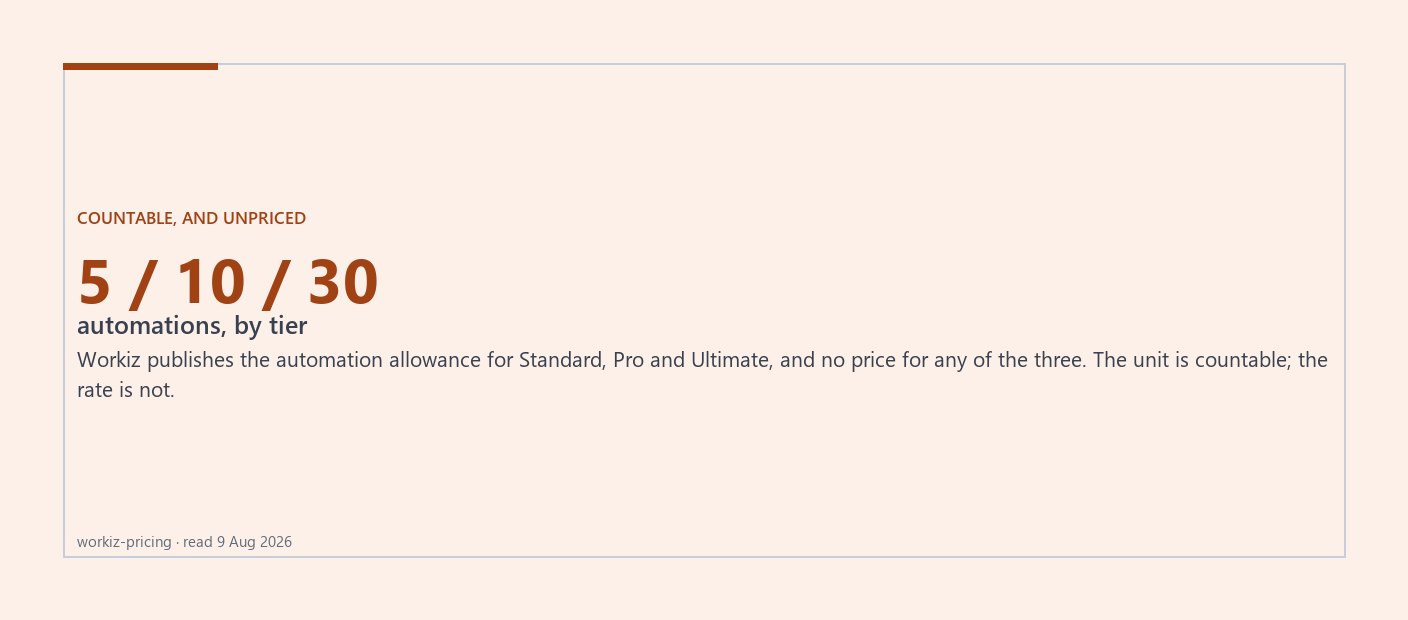
One vendor comes closest. Workiz publishes an automation allowance against each tier: 5 on Standard, 10 on Pro, 30 on Ultimate. That is a genuine unit — a countable number of automations, rationed by tier, so a buyer can at least ask whether five is enough.
The same vendor publishes no price for any of those tiers. The allowance is countable and the tier is not priced, so the cost of an automation cannot be worked out from the page. It is the most concrete automation figure in this cohort and it still does not produce a number.
Everywhere else, automation is a tier feature with no separate price. What that means in practice is that a shop wanting one specific automation frequently pays for a tier upgrade to get it, and the honest way to evaluate that is to price the tier difference against the hours the automation actually saves — an hour of office time a week is worth roughly what an extra platform seat costs, and that comparison is usually closer than either side expects.
What a tier upgrade costs where the vendor does publish is in what field service software actually costs.
A way to decide what to automate first
Three questions, applied to any step someone offers to automate for you.
- How often does it happen? A step that happens twice a day is worth automating badly. A step that happens twice a month is not worth automating well.
- What does it cost when it is wrong? An automated reminder sent twice is an annoyance. An automated price sent wrong is a job done at a loss or an argument on a doorstep. Automate the cheap-to-fail steps first.
- Would you notice if it stopped? If the answer is no, you have not automated a process, you have hidden one. Every automation should have a place it reports to.
Applied in that order, most shops find the same first three: reminders, invoice generation, payment capture. They are the ones on the genuinely-automates list, and they are the ones that show up in the bank rather than in a feature comparison.
What the results page looked like, and what this page cannot tell you
Read on 9 August 2026, the US results page for this term returned eight results and all eight were software vendors — the most completely vendor-authored page of the eight queries checked for this cohort. Every definition of automation available to a buyer on that page was written by a company selling automation.
- How well any specific automation works. This site has not operated, deployed or trialled any of this software, and reasoning from published documentation is not the same as watching it run.
- What an automation costs. The one vendor that counts them does not price the tiers that contain them.
- How much time any of this saves in your shop. Anyone offering that figure without measuring your shop is selling something. Measure the step for a fortnight before you buy the thing that removes it.
Sources
- IFS — primary vendor page, read
- Workiz — quote gated confirmed, read
- Jobber — primary vendor pricing page, read
- Housecall Pro — primary vendor pricing page, read
- Google US, read first-hand — observed serp, read
Vendor pricing changes without notice. Every figure above carries the date it was read. If a vendor’s current page disagrees with this one, the vendor’s page is right and this one is stale — and that is a bug worth reporting.